
Quick answer: To set up Nexomir IPTV on a MAG box, send us the box's MAC address, enter the portal URL under Settings → Servers → Portals, then restart. On Fire TV, smart TVs, Android TV, Apple devices or a computer, install a player app from the official store and log in with the Xtream Codes details we send. Most homes are watching within ten minutes.
Before You Set Up a MAG TV Box or App
Setup goes fastest when you have everything in front of you before you pick up the remote. It takes a minute to gather and saves a lot of back-and-forth.
Players such as IPTV Smarters Pro, TiviMate or IBO Player are made by independent developers. They are empty shells until you add your Nexomir login, contain no channels of their own, and some charge a small fee for premium features. Always install them from your device's official app store or the developer's own website.
- Your login messageServer address, username and password, or the M3U link. MAG owners: the portal URL.
- A steady connection15 Mbps or more for HD, 25 Mbps for 4K. A cable to the router is best for TVs and boxes.
- The device's remotePlus a few minutes. Typing a long address with a remote is the slowest part.
Step-by-Step Guides by Device
Tap your device. The MAG guide comes first because it is the one people ask about most.
IPTV on MAG Box: Portal Setup in Four Steps
- Find the MAC address. Press Setup (or the gear icon) on the remote, open System information or Status, and note the MAC address. It starts with 00:1A:79 and is also printed on the sticker under the box.
- Send it to us. After ordering, message the MAC address on WhatsApp. We link it to your plan and reply with your portal URL.
- Enter the portal. Go to Settings → Servers → Portals. In Portal 1 name type Nexomir, in Portal 1 URL type the address exactly as sent, then press OK and save.
- Restart. Reboot the box from the settings menu or by unplugging it for ten seconds. The portal opens with channel groups, the guide and the movie library.
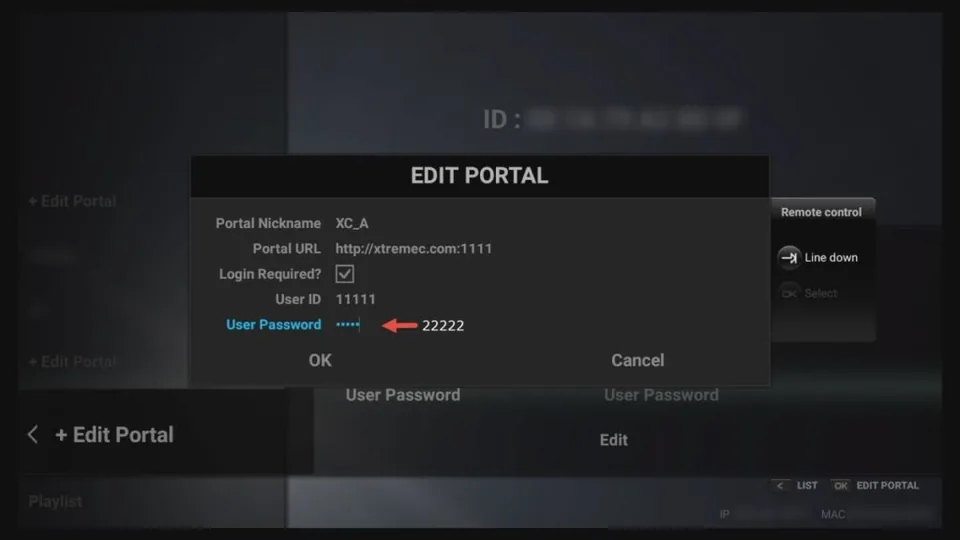
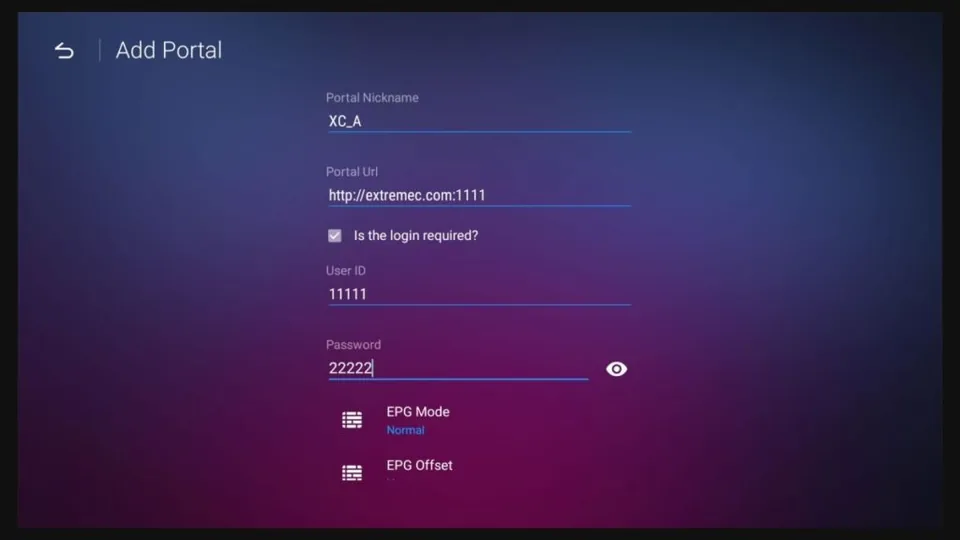
Example screens. Menu wording and colors differ by box model and firmware.
If you see "STB blocked" or "Authentication failed", the MAC address you sent does not match the box. Send a photo of the sticker and we will fix it.
Fire TV Stick, Fire TV Cube and Fire TV smart TVs
- Search the Amazon Appstore for a player such as IPTV Smarters Pro or IBO Player and install it.
- If your preferred player is not listed, install the official Downloader app from the Appstore, allow it under Settings → My Fire TV → Developer options → Install unknown apps, and download the player from its developer's official website only.
- Open the player and choose Login with Xtream Codes API.
- Enter any name (for example Nexomir), then the server address, username and password from your message. Save and wait a minute for everything to load.
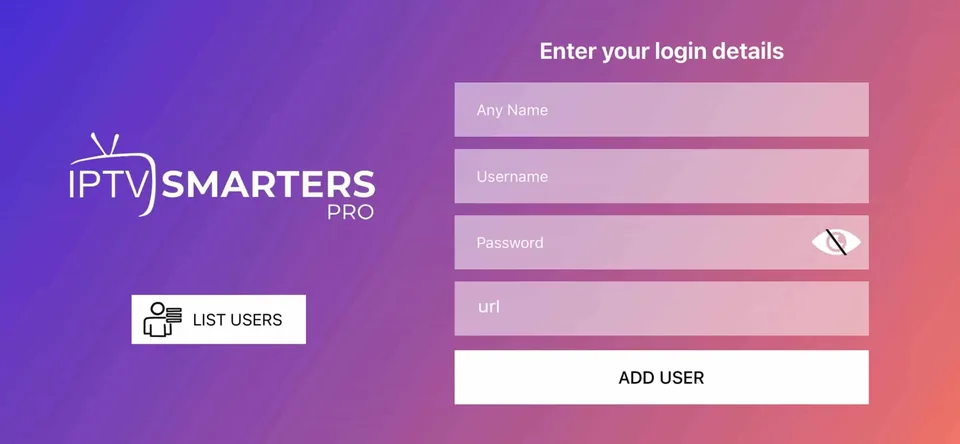
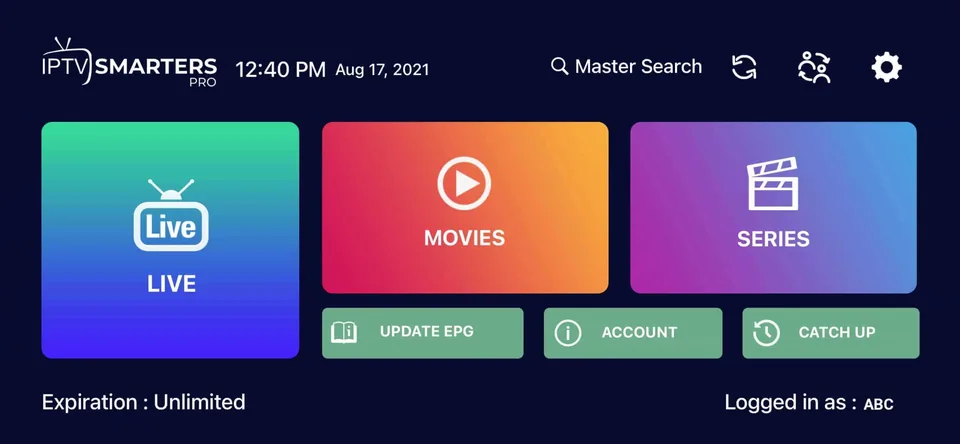
IPTV Smarters Pro is a third-party app; Nexomir IPTV does not make it.
A Fire TV Stick behind the TV can get weak Wi-Fi. Amazon's Ethernet adapter or the HDMI extender that came in the box often fixes stuttering.
Samsung (Tizen) and LG (webOS) smart TVs
- Open the TV's app store (Samsung Apps or LG Content Store) and search for an IPTV player that supports Xtream Codes or M3U.
- Install and open it. Some players show a device ID and ask you to add your login on their website; others let you type it on the TV.
- Add your Nexomir login (Xtream Codes preferred, M3U link otherwise) and load the list.
- Test a news channel and the guide. If your TV is older than about 2018, a streaming stick usually performs better.
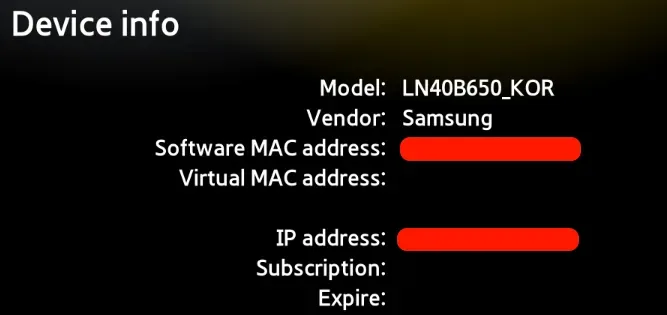
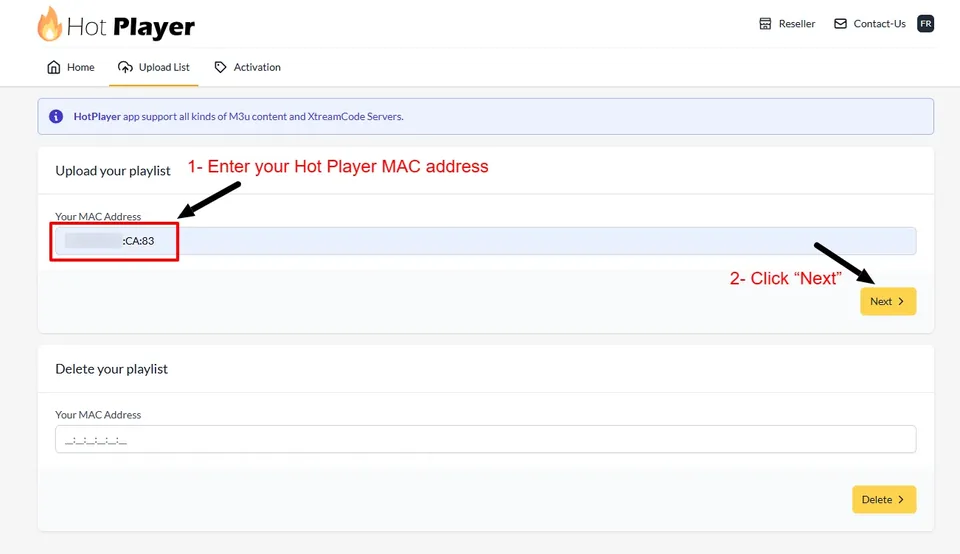
Screens from third-party players; each developer has its own activation page and terms.
Players on TV app stores change often. Ask us which one currently works best on your model year.
Android TV, Google TV, NVIDIA Shield and Android boxes
- Open Google Play on the TV and install TiviMate, IPTV Smarters Pro or another player you like.
- Add a playlist and select Xtream Codes.
- Enter the server address, username and password, then confirm.
- Let the guide load. In TiviMate you can then hide categories you never watch and set favorites.
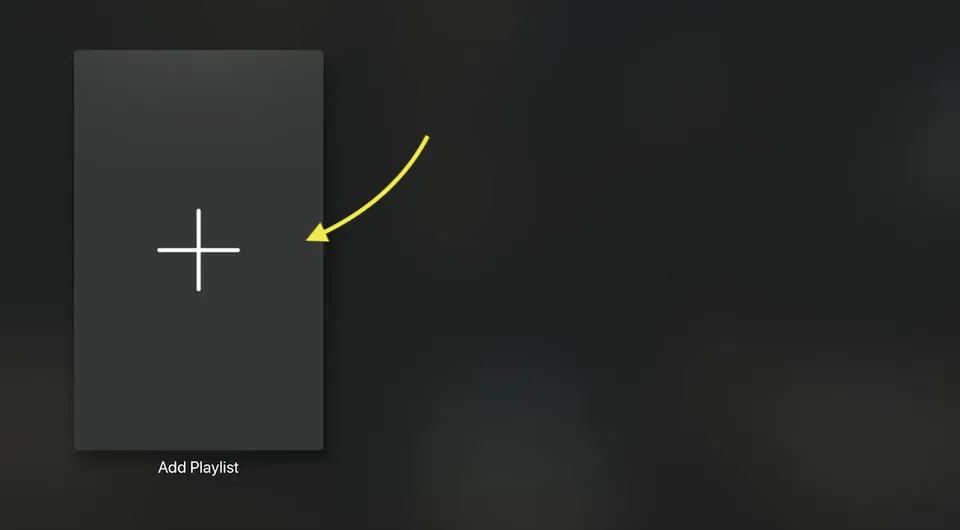
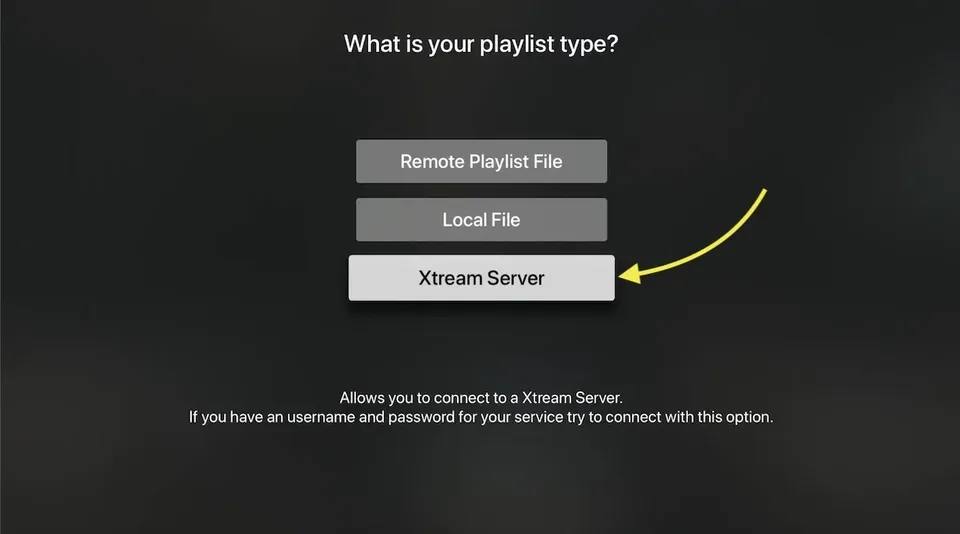
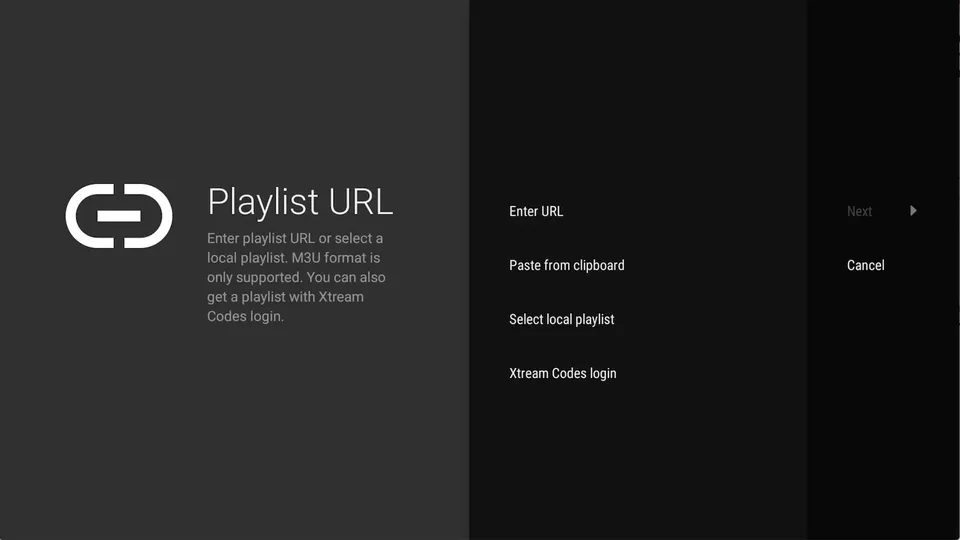
TiviMate is made by an independent developer; premium features are sold by them, not by us.
Google TV and NVIDIA Shield handle 4K streams well; inexpensive no-name boxes sometimes do not.
Apple devices: Apple TV, iPhone, iPad
- Open the App Store and search for an IPTV player that supports Xtream Codes or M3U playlists.
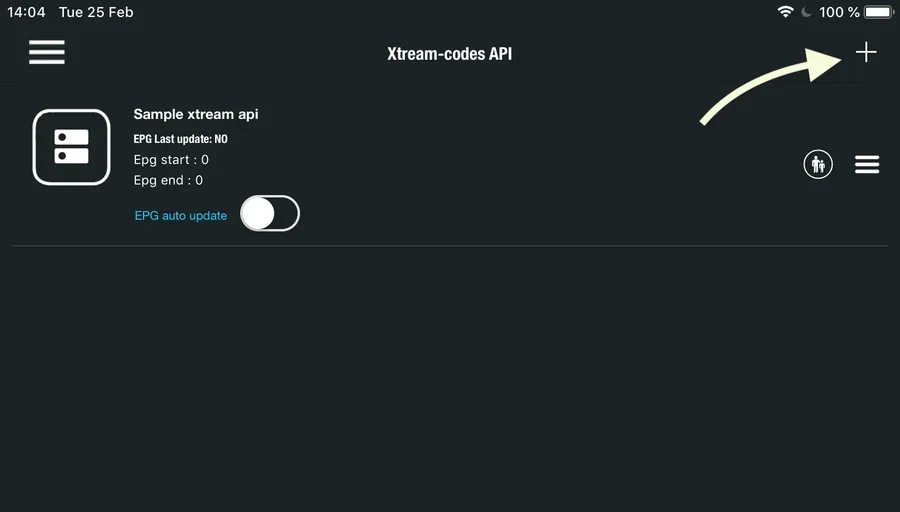
- Install it and choose to add a new playlist or login.
- Enter your details from the Nexomir message. Copy and paste on iPhone avoids typos.
- On Apple TV, some players let you send the login from your iPhone instead of typing with the Siri Remote.
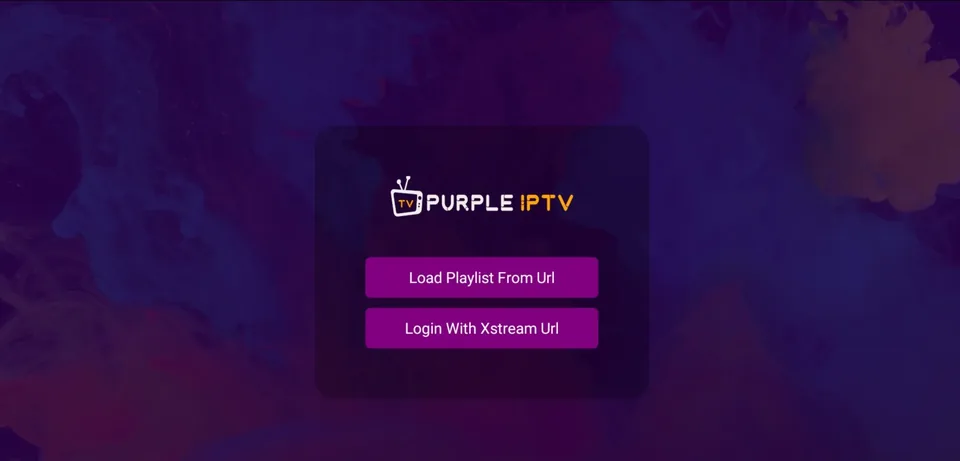
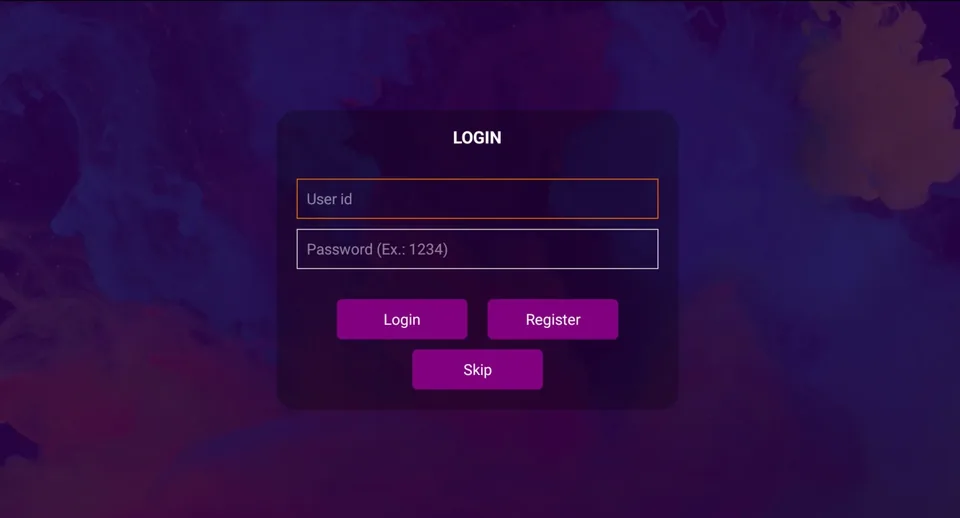
Example from a third-party player; layouts differ between apps.
Many iOS players are free with optional upgrades. You never need to pay a player for channels; those come with your plan.
Windows, Mac and Android phones
- On a computer, install a desktop IPTV player or open the M3U link in VLC (Media → Open Network Stream).
- On an Android phone, install a player from Google Play and choose the Xtream Codes login.
- Enter your login and save. Desktop players usually load the guide too; VLC shows the channel list only.
- Remember the screen limit: a phone streaming in the background counts as a screen.
Which Box IPTV MAG Model Works Best?
MAG boxes are made by Infomir. We do not sell them and are not affiliated, but we support them because many customers love the cable-style remote.
| Model family | Max picture | Good to know |
|---|---|---|
| MAG 322 | Full HD | Older but reliable for HD channels. No 4K. |
| MAG 420 / 424 | 4K | Faster menus, 4K output and HEVC support. |
| MAG 520 / 524 | 4K HDR | Current generation, smooth guide, built-in Wi-Fi on the "w" versions. |
Model features as described by the manufacturer; check the exact spec of the unit you buy. Any MAG box set to the portal works with every Nexomir plan.
MAG Box for TV or a Streaming Stick?
Both work with Nexomir. The right choice depends on how you like to watch.
MAG IPTV box: choose it if…
- you want a remote with channel up/down and number keys
- someone at home prefers the old cable experience
- you want one device that does only live TV, with no app menus
- you can plug it into the router with a cable
Choose a stick or smart TV app if…
- you also use streaming apps and want them in one place
- you prefer a modern guide with favorites and search
- you want to try different players over time
- you need something small to take on trips
Common IPTV MAG Box Problems and Quick Fixes
These cover most of what reaches our help desk. Try them in order.
"Loading portal…" never ends
Check the portal URL for a missing slash or extra space, then restart the box. If it still hangs, test whether the box has internet by opening its built-in browser or weather app.
Picture freezes during games
Use a network cable or the 5 GHz band, restart the router, and close other heavy downloads in the house while the game is on.
Guide is empty
Give it a few minutes after the first start. In the portal settings, refresh or clear the EPG cache, then reopen the guide.
Sound but no picture (or the reverse)
Switch to another channel and back. In the box's video settings, set the output resolution to match your TV, for example 1080p or 2160p.
Wrong time in the guide
Set the box's time zone to your own (Eastern, Central, Mountain or Pacific) under system settings. The guide then shows local times.
Nothing helps
Send us a photo of the error on WhatsApp. We can see from the server side whether your connection reaches us.
Setup Questions We Hear Every Week
Yes, but on a single-screen plan only one of them may stream at a time. The MAG box uses the portal linked to its MAC address, the Fire TV uses your Xtream Codes login; both draw from the same plan.
If both need to play at the same moment, the two-screen yearly plan is the one to choose.
No. We provide the service only. Buy hardware from a regular US retailer so you get the manufacturer's warranty, then set it up with the guides on this page.
For Android TV and Fire TV many customers like TiviMate for its guide, and IPTV Smarters Pro for its simplicity. On Apple devices and smart TVs the best option changes with app updates, so ask us for the current recommendation for your model.
All of these are third-party apps; some have paid upgrades that are separate from your Nexomir plan.
Send us the MAC address of the new box. We move your plan to it, usually within minutes, and the old box stops working with the portal.
Have your device ready?
Order a plan and we will help you set it up today, step by step, until the first channel plays.